Enquire Now →

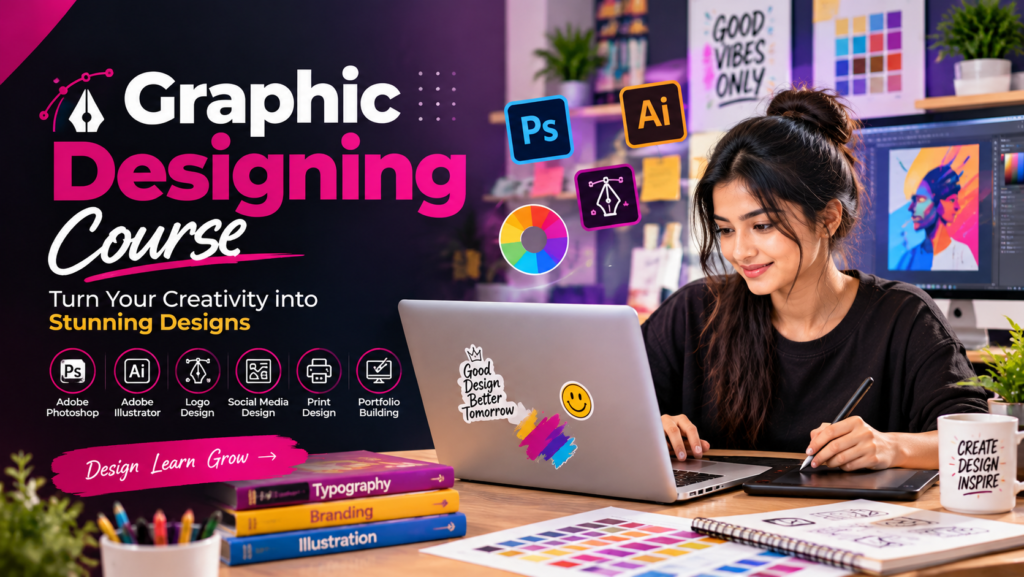
Graphic Designing Training Course

Develop creative design skills with hands-on training in graphic design tools, visual communication, branding, typography, and professional projects to build a successful design career.

★★★★★
5/5 (4,890 Reviews)
Level Advanced
Duration 4 Weeks
Enquire Now →

Training Enquiry Form

Graphic Designing Training Course

Our Graphic Designing Training Course helps students and professionals develop creative skills in visual communication, branding, typography, image editing, and digital design. Learn industry-standard tools such as Adobe Photoshop, Illustrator, and InDesign through practical assignments and real-world projects. This course focuses on creativity, design principles, and portfolio development to prepare you for career opportunities in graphic design, advertising, digital media, freelancing, and creative industries.

Enquire Now →
Graphic Design Course

What This Graphic Designing Course Covers

✓

Introduction to Graphic Design Principles, Visual Communication, and Creative Design Concepts

✓

Learn Professional Design Tools, Typography, Color Theory, Layouts, and Composition Techniques

✓

Create Logos, Social Media Graphics, Posters, Brochures, Banners, and Marketing Materials

✓

Work with Image Editing, Vector Graphics, Branding, Illustrations, and Digital Design Projects

✓

Develop Creative Concepts for Advertising, Business Branding, Digital Marketing, and Print Media

✓

Build Professional Design Projects and a Creative Portfolio for Career Opportunities and Freelancing

Graphic Designing Course Program Details

◷
Duration
3 Months
⌛
Total Hours
48 Hours
▣
Classes Per Week
2–3 Days
▤
Total Classes
24 Classes
⚙
Hours Per Class
2 Hours
◆
Total Modules
12 Modules

Course Fee

⚙
Offer Fee
Save ₹3,000 (15% off)
₹7,000
Duration 45 days
Instant Enrolment
Regular Fee
₹10,000
Full Payment
Enquire Now →
▶

Live Instructor-Led Graphic Designing Training Classes

♟

Doubt Support & Graphic Design Mentorship

✓

Practical Graphic Designing Assignments & Creative Exercises

■

Real-World Graphic Design Projects & Portfolio Development

✓

Logo Design, Branding & Digital Marketing Creative Projects

▮

Graphic Designing Course Completion Certificate

Training Plan

Upgrade your skills with industry level courses

01

About trainer

Working professional who is carrying more than 10 years of industry experience.
02

Decks & Updated Content

Access to updated presentation decks shared during live training sessions.

03

e-Book

E-book provided by TechPratham. All rights reserved.

04

Assignments & MCQs

Module-wise assignments and MCQs provided for practice.

05

Video Recording

Daily Session would be recorded and shared to the candidate.

06

Projects

Live projects will be provided for hands-on practice.

07

Resume Building

Expert-guided resume building with industry-focused content support.

08

Interview Preparation

Comprehensive interview preparation with real-time scenario practice.

Who Should Enroll in This
Graphic Designing Course

Learn graphic design, branding, typography, and professional design tools through hands-on projects that develop creativity, build your portfolio, and prepare you for industry opportunities.
Beginners
Entrepreneurs
Fresh Graduates
Working Professionals
Developers
Freelancers
Mrketers
IT Professional

Graphic Designing Course Outline

  • Design principles, visual communication basics, color theory, typography, composition, branding fundamentals, and understanding the design process.
  • Master layers, selections, color correction, retouching, text design, filters, image adjustments, basic tools, and essential editing techniques effectively.
  • Vector graphics, pen tool mastery, shapes, icons, logo design, typography handling, illustration techniques, and creating scalable artwork.
  • Page layout design, grids, multi-page documents, brochures, flyers, magazines, catalog creation, text formatting, and export settings for print and digital.
  • Logo creation, brand color systems, typography selection, brand guidelines, stationery design, and creating a cohesive brand identity system.
  • Banner design, thumbnail creation, ad creatives, carousel designs, social media templates, UI-style graphics, and platform-specific design guidelines.
  • Creative manipulation, mockup creation, advanced blending, effects, vector illustration workflow, and design automation techniques.
  • Print requirements, CMYK vs RGB, bleed and margins, packaging dielines, label design, proofing, and preparing print-ready files.
  • Wireframes, user flows, design systems, prototyping, layout grids, and tools like Figma or Adobe XD for basic interface design.
  • Portfolio planning, client-style projects, resume-aligned work selection, case studies preparation, exporting assets, and building an online design portfolio.
  • Client communication, pricing strategies, proposal writing, revision management, design workflow tools, and job interview preparation.

Google Reviews

What Our Students Say

R

Rahul Sharma

AI Course Student
★★★★★

Excellent AI course with practical learning. The instructors explain Generative AI and automation in a very simple way.

G
P

Priya Verma

AI Course Student
★★★★★

Very useful AI training program. I learned how to use ChatGPT, Claude, Gemini and other AI tools for real-world tasks.

G
A

Amit Kumar

AI Course Student
★★★★★

The practical approach makes this AI course different. Every topic is explained clearly with hands-on examples and projects.

G
S

Simran Singh

AI Course Student
★★★★★

A great course for beginners who want to understand Artificial Intelligence and Generative AI without confusion.

G
N

Neha Gupta

AI Course Student
★★★★★

I really enjoyed the learning experience. The course covers modern AI tools, prompting, automation and practical applications.

G
V

Vikas Singh

AI Course Student
★★★★★

One of the best AI learning experiences. The trainers are supportive and the practical assignments are very useful.

G
K

Karan Mehta

AI Course Student
★★★★★

The AI Agent and Generative AI topics were explained very well. Highly recommended for students and professionals.

G
A

Anjali Sharma

AI Course Student
★★★★★

Excellent training with a good balance of theory and practical projects. It helped me become more confident with AI.

G

FAQ ( Frequently Asked Question )

  • The course covers graphic design principles, Adobe Photoshop, Adobe Illustrator, Adobe InDesign, logo design, branding, social media graphics, print design, packaging, and portfolio development.
  • Students, beginners, graduates, working professionals, entrepreneurs, and creative individuals interested in learning graphic design can enroll in this course.
  • No, prior experience is required. The course starts with basic design principles and gradually progresses to professional tools and advanced design techniques.
  • You will learn industry-standard tools such as Adobe Photoshop, Adobe Illustrator, and Adobe InDesign. Optional UI/UX training may introduce tools such as Figma.
  • Yes, you will work on practical assignments and real-world projects, including logo design, branding materials, social media creatives, brochures, posters, and packaging designs.
  • Yes, the course includes portfolio development activities to help you showcase your creative skills, completed projects, and design capabilities to potential employers or clients.